

Buying a CMMS can feel weirdly similar to buying a new phone plan: every option sounds “all-in-one”, every demo looks smooth, and somehow you still end up doing half the work in email and spreadsheets.
In strata, that’s not just annoying; it’s risky.
The wrong system creates blind spots: missed preventive services, unclear approvals, lost history, supplier compliance gaps, and the kind of resident frustration that turns into complaints and committee pressure fast.
So let’s cut through the noise.
This guide is written specifically for strata managers in Australia who want to make a confident decision in 2026. If you’re searching for the best cmms for 2026 or the best cmms for preventive maintenance management, the goal isn’t to find the platform with the longest features list. It’s to choose a system that actually reduces admin, supports compliance, improves response times, and makes maintenance feel lighter across your portfolio.
What a CMMS should mean in strata
A classic CMMS definition is: work orders + assets + preventive maintenance + reporting.
In strata, those same pieces matter, but they need to work in a very particular environment:
- Requests don’t come from one “maintenance team”. They come from residents, building managers, committees, agents, concierges, cleaners, and sometimes people who are understandably stressed.
- Access and disruption matter as you need to take into account quiet hours, lift shutdown notices, garage access, keys, and security protocols.
- Compliance documentation isn’t optional and can’t live in someone’s personal inbox.
- You’re coordinating external suppliers constantly, which means your “operating system” must support how contractors actually work.
- Portfolio management changes everything. A workflow that’s fine for one building can become chaos across twenty.
That’s why the best cmms for 2026 for strata is the one that supports the full lifecycle from request → triage → allocation → approvals → completion evidence → invoice handling → reporting, without you having to “patch” the process with manual work.
With that in mind, here are the seven features that genuinely matter.
1. End-to-end work order management
Most systems can capture a maintenance request. That’s table stakes now. The real question is what happens after the request is submitted.
In strata, the workload is the workflow: triage, priorities, access notes, assigning the right supplier, updating the resident, coordinating times, tracking progress, confirming completion, capturing evidence, and storing the job history so you can answer questions later without detective work.
An end-to-end system reduces the “mental juggling” that strata managers do all day. Instead of holding context in your head, wondering “Where’s that leak job up to? Did the plumber actually attend? Did we notify the resident? Are we waiting for approval?”, the CMMS becomes the single source of truth.
This is also where complaint reduction happens. Residents and committees don’t just want the problem fixed; they want to see that it’s being handled. A strong work order workflow makes that visible, consistent, and repeatable across buildings.
Buyer checklist
- Clear job statuses that match real strata workflows (received → triaged → assigned → booked → in progress → completed)
- Priority and category controls for urgent, safety, compliance, and routine work with easy filtering
- Assignment, due dates, and scheduling tools that don’t require extra spreadsheets
- A complete audit trail (who did what, when) plus a single timeline of updates
- Attachments and evidence, including photos, reports, and certificates, are stored inside the job
- Easy search across historical jobs by building, category, supplier, or keyword
2. Preventive maintenance that’s easy to plan, prove, and repeat
Preventive maintenance is where strata managers win the year.
Not because nothing ever breaks, but because a consistent preventive program reduces breakdown frequency, catches issues earlier, and makes budgets steadier. It also changes committee conversations. When you can show planned maintenance, completion rates, and service history, it’s much easier to justify spending and avoid “Why are we always paying emergency callouts?” debates.
The catch is that preventive maintenance only works if it’s simple to run. If it’s held together by personal calendar reminders and a spreadsheet that only one person understands, it’s fragile; staff change. Contractors change. Priorities change. Then suddenly, preventive work becomes “something we’ll catch up on later”, and you’re back to reactive mode.
In 2026, the best cmms for preventive maintenance management should take preventive work off your mental load. It should generate recurring work orders automatically, remind people before things are overdue, support consistent job scopes (so suppliers know what “the service” includes), and help you prove completion with checklists and evidence.
This is the difference between “we have a plan” and “we actually run the plan”.
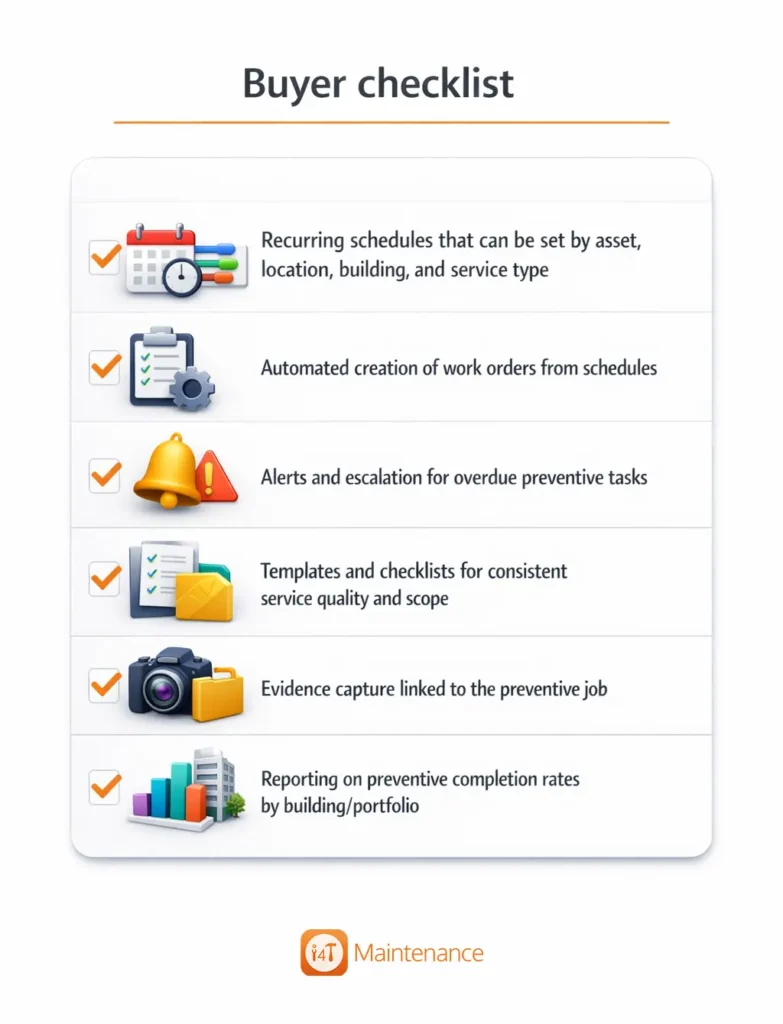
Buyer checklist
- Recurring schedules that can be set by asset, location, building, and service type
- Automated creation of work orders from schedules
- Alerts and escalation for overdue preventive tasks
- Templates and checklists for consistent service quality and scope
- Evidence capture linked to the preventive job
- Reporting on preventive completion rates by building/portfolio
3. Asset register + lifecycle visibility
Strata is full of repeat questions: “When was this last serviced?”, “Is it still under warranty?”, “Why are we paying for this again?”, “Is this the same issue as last time?”, “Are we patching something that should be replaced?”
Without a real asset register, those answers are scattered. Some are in email. Some are in PDFs. Some live in the memory of the one person who’s been around for years.
An asset register in a CMMS should be practical, not perfect. All you need is enough structure that your high-impact assets (lifts, pumps, garage doors, access control, HVAC, fire systems, lighting controls, etc.) have a home where you can store manuals, warranties, service history, and recurring schedules.
Lifecycle visibility matters more in 2026 because committees are asking harder questions about value. If an access gate motor has had five callouts in a year, you want to show that history instantly and explain the real choice: continue patching, or plan replacement and avoid repeated disruption and cost.
A good CMMS turns asset history into a shared, defensible narrative, and that’s gold in strata.
Buyer checklist
- An asset register that’s easy to build and maintain
- Assets linked to buildings/locations
- Attachments per asset, like manuals, warranties, photos, and compliance docs
- Automatic linking of work orders and service history to the asset record
- Spend tracking by asset and category
- Notes for access instructions, shutdown requirements, and safety procedures
4. Contractor and supplier management with compliance built in
In strata, you’re only as strong as your supplier coordination.
Even when your internal workflow is tight, a job can still derail if the wrong supplier is allocated, compliance documents are missing, access instructions aren’t clear, or the contractor doesn’t communicate properly during the job.
A good CMMS supports the full supplier relationship: storing supplier details, tracking performance, and managing compliance documentation without you chasing paperwork every month. This is especially important for risk management. When committees ask, “Are our contractors insured and qualified?”, you want the answer to be immediate and documented.
In 2026, a CMMS should also help you build reliability. Over time, you should be able to see which suppliers respond quickly, which produce repeat callouts, and which consistently provide quality completion reports. That turns supplier selection from “who’s available?” into “who actually performs?”
Buyer checklist
- Supplier directory with service categories and coverage areas
- Compliance document collection (licences, insurance, inductions, safety docs where relevant)
- Expiry tracking with automated reminders
- Ability to allocate preferred suppliers by building/category
- Supplier performance visibility, like response times, repeat callouts, ratings/feedback
- A simple way for suppliers to upload required documents and job evidence
5. Communication that reduces follow-ups
In strata, communication can easily become the main workload. The repair might take 30 minutes; the updates, access coordination, and expectation management can take hours.
That’s why communication features aren’t “nice-to-have”. They’re a core operational function.
A strata-ready CMMS should reduce your follow-up burden by keeping communication inside the job, automatically updating requesters, and giving residents clarity about what’s happening without you rewriting the same message fifty times.
It should also separate internal notes from external messages so your team can be candid internally while still communicating professionally to residents and committees.
This directly affects complaints. Many complaints aren’t “the issue wasn’t fixed”; they’re “no one told me what was happening.” A CMMS that improves visibility and consistency is one of the simplest ways to reduce frustration in a community.
Buyer checklist
- Automated notifications when job status changes (received, booked, completed)
- Clear separation between internal notes and external updates
- Message templates for common scenarios (access, delays, shutdown notices)
- Communication history stored inside the job (no hunting through email)
- Options for residents/requesters to track progress (portal/link, if available)
- Ability to tag or notify internal stakeholders (building manager, committee contact)
6. Approvals, budgets, and invoice flow that match
This is where many CMMS tools feel like they were designed for a factory and then “adapted” for property.
Strata has real governance. Approval thresholds exist for a reason; committees often want quotes for planned works, and urgent works have different rules. If your CMMS can’t reflect these realities, you’ll end up doing approvals in email, tracking quotes in spreadsheets, and reconciling invoices manually, which breaks the “single source of truth” and creates risk.
In 2026, a good CMMS should support approvals in a way that’s flexible enough for different schemes but structured enough to keep things accountable. It should also support clean handover into invoicing: job completed, evidence attached, invoice received, invoice matched to the job. Even if your accounting platform is separate, the maintenance record should be complete and defensible.
This matters because invoice disputes often come down to documentation. If you can quickly show scope, approvals, attendance notes, photos, and completion details, you reduce friction for everyone, including committees.
Buyer checklist
- Approval workflows aligned to strata thresholds and governance processes
- Quote requests and quote comparisons are attached to the job
- Clear audit trail for who approved what and when)
- “Ready to invoice” or completion confirmation step before invoicing
- Invoice capture/matching to work orders with supporting evidence attached
- Cost tracking by building, category, and work type
7. Reporting that’s actually useful for committees and portfolios
Reporting is where a CMMS proves its value beyond “organising jobs.”
In strata, reporting isn’t just for internal dashboards. It’s for stakeholder confidence. Committees want clear answers. Owners want transparency. And you want to spend less time preparing meeting packs.
A good CMMS report should help you tell a story of what happened, why it happened, what was done, what’s planned next, where costs are trending, and how preventive work is tracking.
Portfolio reporting matters even more. If you manage multiple buildings, you should be able to spot patterns: which schemes are experiencing more reactive work, which assets are repeatedly failing, which suppliers are performing well, and where preventive schedules need tightening.
In 2026, reporting should also support proactive planning. When you can show that reactive work is decreasing while preventive completion is increasing, you have a powerful narrative that helps secure committee buy-in and budgets.
Buyer checklist
- Dashboards for open jobs, overdue jobs, and ageing jobs
- Preventive vs reactive reporting to support performance storytelling
- Spend reporting by category, building, supplier, and asset type
- Contractor performance reporting
- Exportable summaries suitable for committee meetings
- Filters that make portfolio management fast
How to compare CMMS options in 2026 without getting attracted by the demo
Demos are designed to look easy. Clean data, perfect scenarios, best-case workflows, and a presenter who knows exactly where to click.
Instead of asking, “Can it do X?”, you’ll get better outcomes by asking, “Can it handle my reality end-to-end with minimal manual work?”
Here’s a simple approach that works well for strata teams:
Pick one building as your test case (ideally a scheme that has typical volume and common assets). Then take three common scenarios and walk them through the platform. For example:
- a resident-submitted job (unclear request + photo)
- a planned preventive service (recurring compliance-adjacent task)
- a quote-required job (approval threshold + invoice matching)
As you run each scenario, pay attention to friction. Where do you feel forced back into email? Where do you need to “remember” something because the system doesn’t prompt you? Where does the audit trail become unclear?
A CMMS should reduce your reliance on memory and follow-up. If you finish a demo thinking, “That seems nice, but we’d still run half of it outside the platform,” that’s a sign the tool isn’t truly operational for strata.
Buyer checklist
- Run a resident request from submission → completion with updates and evidence
- Run a preventive schedule that creates recurring work orders automatically
- Test supplier compliance tracking (expiry reminders + document storage)
- Trigger an approval threshold and confirm the audit trail is clean
- Match an invoice to a completed job with scope and evidence visible
- Export a committee-ready summary for a one-month period
What to ignore when you’re buying
This is the part where CMMS marketing can get loud.
Features like AI triage, advanced analytics, QR codes, and deep integrations can be genuinely helpful, but only if the fundamentals are strong. If work orders aren’t end-to-end, if preventive schedules don’t run smoothly, if supplier compliance isn’t built in, then the fancy add-ons won’t save you.
A good rule of thumb: if a feature sounds exciting but doesn’t directly reduce admin, improve compliance visibility, or reduce communication overhead, it’s probably not a deciding factor. It can be a bonus later, not the foundation you buy on.
The CMMS that matters is the one that makes maintenance easier to run
If you want the best cmms for 2026, bring your focus back to outcomes:
- fewer missed tasks
- faster allocation and completion
- clearer communication
- better compliance hygiene
- cleaner approvals and invoices
- reporting that builds committee confidence
- a maintenance history that survives staff turnover and supplier changes
And if you want the best cmms for preventive maintenance management, make sure preventive scheduling is operationally effortless: recurring work orders, reminders, checklists, evidence, and reporting that shows you’re on top of it.
Explore i4T Maintenance for strata-focused CMMS workflows
If you’re looking for a CMMS built specifically around strata workflows in Australia, i4T Maintenance is designed to support the full end-to-end process, from request handling through to supplier selection, allocation, tracking, tenant communication, supplier compliance, supplier invoices, and service rating.
In other words: it’s built to help strata managers spend less time chasing and more time running a predictable, proactive maintenance operation across their portfolio. If you’re comparing platforms for the best cmms for 2026, i4T Maintenance is worth putting on your shortlist.
FAQs
A CMMS (Computerised Maintenance Management System) is software used by strata managers to log, assign, track, and report maintenance work. In strata, a CMMS typically manages work orders, preventive maintenance schedules, asset registers, supplier compliance documents, and maintenance reporting.
A strata-ready CMMS in 2026 should include:
- End-to-end work order management (request → triage → assign → complete)
- Preventive maintenance automation (recurring schedules + reminders + evidence)
- Asset register + service history (warranties, manuals, job history)
- Supplier management + compliance tracking (insurance/licence expiry alerts)
- Approvals + invoice matching (quotes, approvals, job-to-invoice trail)
Committee-ready reporting (open jobs, spend, PM completion)
These are the core traits most people mean when searching for the best cmms for 2026.
The best cmms for preventive maintenance management is the one that makes preventive work automatic and auditable, meaning it can:
- Create recurring preventive jobs automatically
- Send reminders and overdue alerts
- Use checklists/templates for consistent servicing
- Store evidence (photos, certificates, contractor notes)
- Report on preventive maintenance completion rates by building/portfolio
To compare CMMS options fast, ask each vendor to demo one real building workflow:
- Resident request submitted
- Job triaged and assigned to a supplier
- Access notes + updates sent
- Completion evidence captured
- Invoice matched to the work order
- Export a committee-ready report (last 30 days)
If a platform can’t handle that end-to-end smoothly, it’s unlikely to be the best cmms for 2026 for strata operations.
Often yes. A CMMS is worth it for small schemes if it helps you:
- Reduce repeat admin and follow-ups
- Keep maintenance history in one place
- Stay on top of preventive maintenance
- Track supplier compliance documents
Provide clearer updates to residents/committee
Even for small buildings, the main value is less reactive chaos and better visibility.